

A comment section is a goldmine. It tells you what people loved, what confused them, which competitor they mention and which feature they keep asking for. It is also a pain to collect: hundreds of comments, loaded a few at a time, as you scroll.
The YouTube blueprint turns that into a table you can actually use. Point it at a video, press Run, and a few minutes later every comment sits in a Puppetflow data table with its author, ready to filter, export or feed to an AI model.
The run
Here it is working on the most commented video we could think of. The flow scrolls, YouTube loads more comments, the flow catches them.
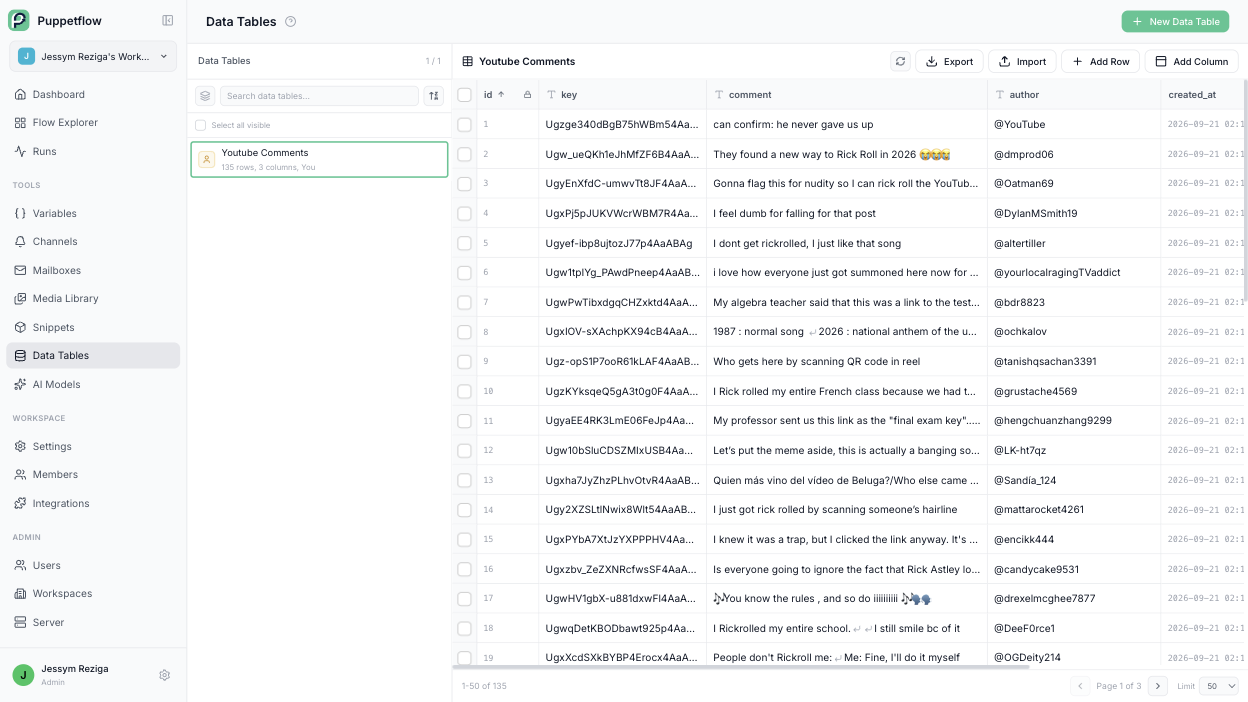
And here is the result: 135 comments, one row each, in a data table inside the workspace.
How it gets the data without fighting the page
Most scrapers read the page: find the comment box, read the text, find the author, hope the layout does not change next week. This flow does something smarter.
When you scroll a comment section, YouTube quietly asks its own servers for the next batch and gets back clean, structured data. The flow listens to that conversation. Every time a batch arrives, it takes the comments straight from the answer, before YouTube even draws them on screen.
Two nice side effects:
- Nothing depends on how the page looks, so a redesign does not break it.
- The data is clean from the start. No emoji soup, no truncated text, no "Show more" to click.
The flow itself
It is a nodal flow, built by connecting boxes:
- Open the video and accept the cookie banner.
- Start listening to the network.
- Scroll down to the comments and keep scrolling in a loop.
- Each time a batch of comments arrives, save every row into the data table.
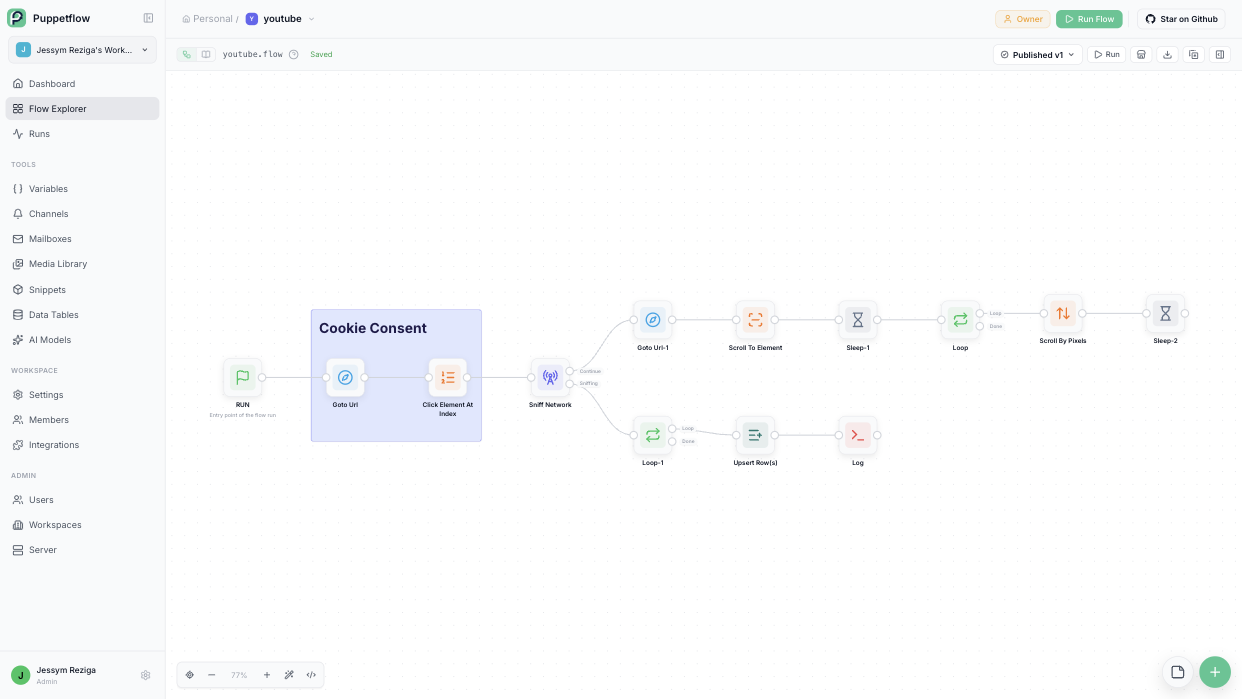
Saving uses an upsert keyed on the comment id, so running the flow again on the same video only adds what is new. Run it every day and your table becomes a live feed.
What people do with it
- Product research. Scrape the comments on your last ten videos, ask an AI model to group them by theme, read the summary instead of a thousand lines.
- Competitor watch. Same thing, on their videos.
- Community. Spot the questions nobody answered and reply to them.
- Content ideas. The most liked comment is often the next video.
The same recipe works on any site that loads content while you scroll: product reviews, job boards, marketplaces, social feeds.
Import the YouTube blueprint to try it on your own channel, or read about data tables to see what you can do with the rows once they are in.


